Comparison
Ultramock vs Rotato
A side-by-side of Ultramock and Rotato covering 3D rendering, photorealism, keyframe animation, video export, device libraries, platforms and price. Which 3D mockup tool to pick, and when.
Both tools render device mockups in 3D, but they are shaped around different workflows.
Rotato is a mature mockup specialist with a native Mac app, a separate web version, 30+ device models, ready-made animation templates and professional video formats. Ultramock keeps the workflow in the browser and centres it on premium product visuals, with live lighting, effects, keyframed motion and high-resolution image and video exports. Choose Rotato when its wider catalogue, offline Mac workflow or ProRes output matters. Choose Ultramock when you want the more realistic result shown in the supplied comparison, a focused browser workflow and detailed creative control around the product itself.
At a glance
Counted from the table below
Rotato’s column was last checked on against rotato.app. Products ship. If something here is out of date, tell us and we will correct it.
The output
A more realistic result, visible in the details.
In these supplied outputs, Ultramock produces the more realistic, higher-fidelity image. The close view reveals fine surface texture, controlled highlights around the metal frame, clearer camera-lens detail and softer light falloff. The Rotato render is clean, but its flatter material response and more uniform shading make it read more like a 3D mockup than a photographed object.
- Real 3D device geometry
- Physically-based lighting
- Cast shadows
- True depth of field
- ACES filmic tone mapping
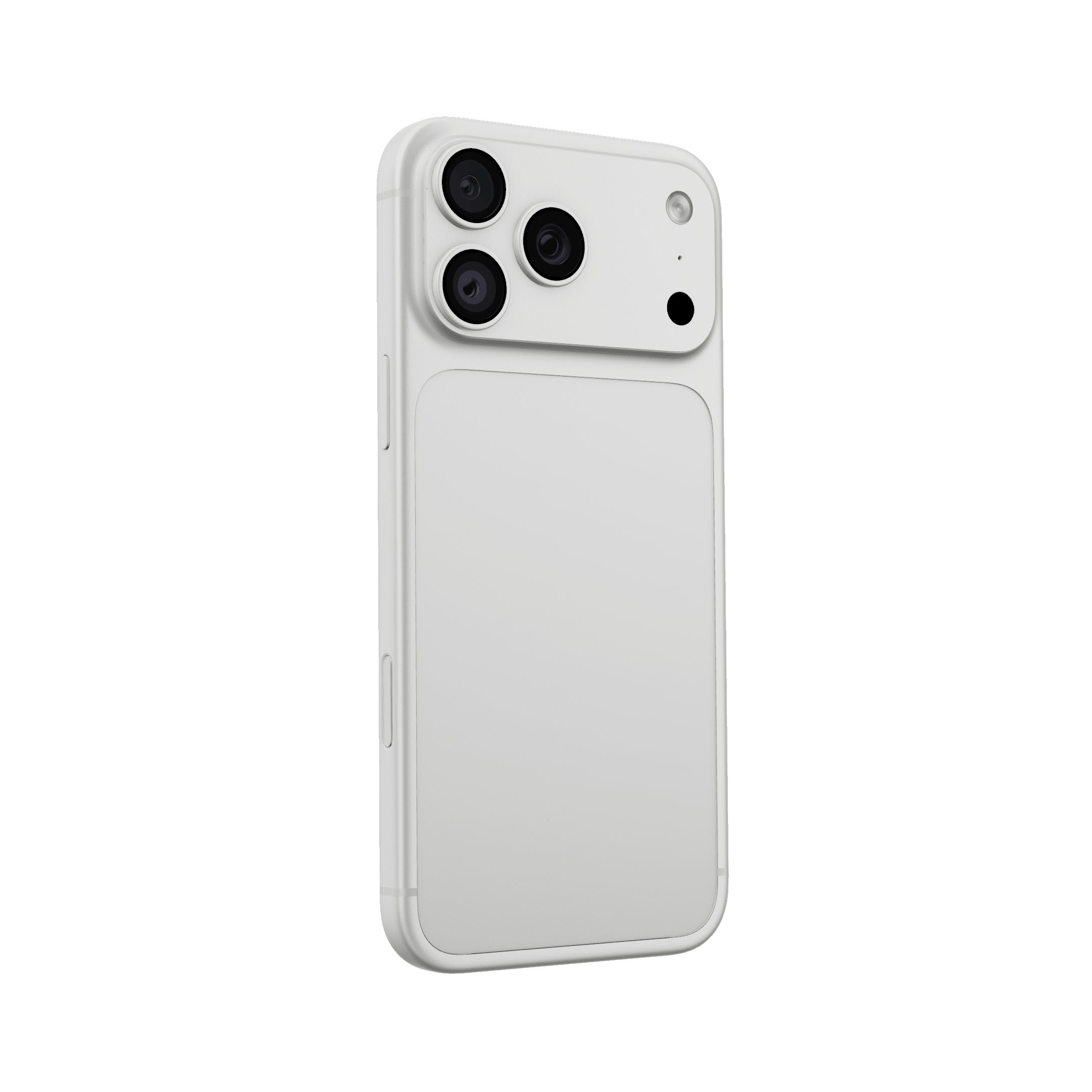
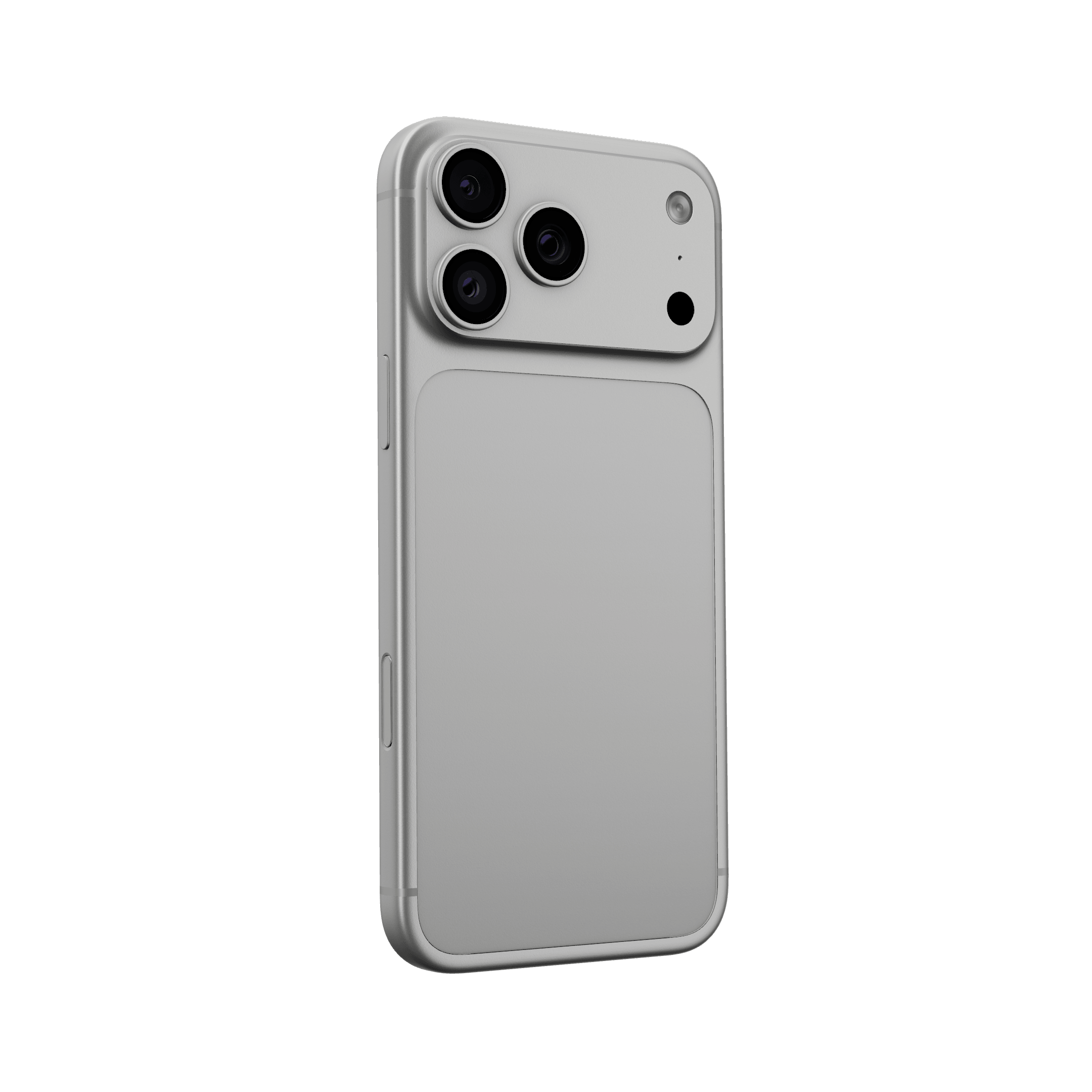
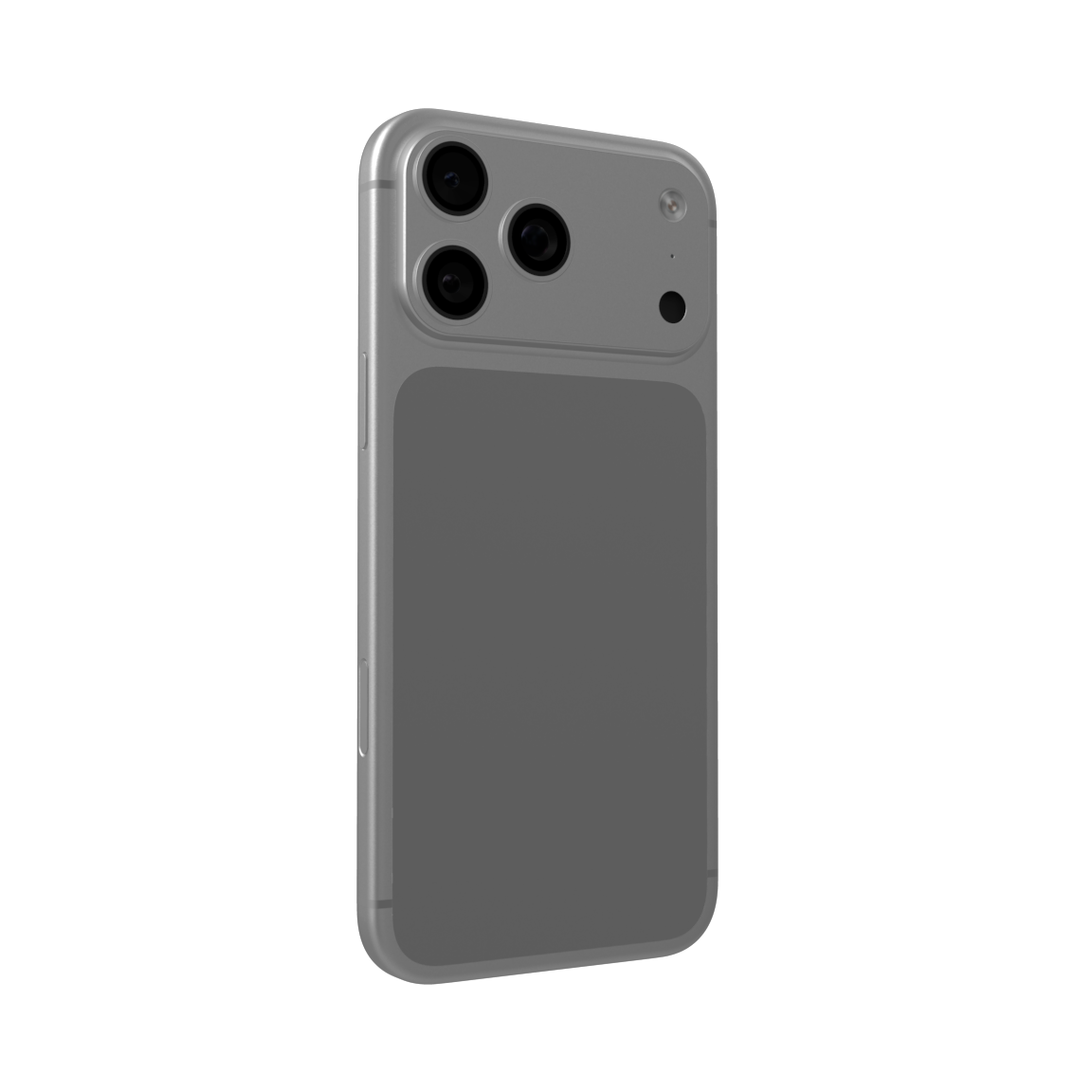
These are the supplied Ultramock and Rotato renders, shown as provided. The framing and backgrounds are not identical, so treat this as a visual output comparison rather than a controlled benchmark.
Where each one wins
Ultramock
- Runs in the browser on macOS, Windows, Linux and ChromeOS, with nothing to install and no account needed to start.
- Renders live in WebGL: every slider redraws the frame immediately, so there is no preview-quality-versus-final-quality gap and no render step.
- Image-based lighting baked from the scene itself, plus ACES filmic tone mapping and soft cast shadows.
- A deeper live effects stack: depth of field with tilt-shift and directional modes, bloom with threshold and radius, grain and vignette, all keyframable.
- A free plan for the core creative editor, with Pro at $12 monthly or $96 annually.
You want a premium 3D render and keyframed motion in a focused browser workflow, with detailed lighting, effects and presentation controls.
Rotato
- A much larger device catalogue, including many Android and legacy devices Ultramock does not carry.
- A built-in screen recorder, so capture and composition happen in one app.
- Desktop-grade export options, including transparent and professional video codecs.
- A mature, long-established app with a deep library of ready-made animation presets.
You need a specific model from Rotato's larger device catalogue, want an offline-native Mac workflow, or need formats such as ProRes 4444.
Feature by feature
| Feature | Ultramock | Rotato |
|---|---|---|
| Platform and access | ||
| Runs on | macOS, Windows, Linux, ChromeOS: anything with a modern browser | native macOS app, plus a separately licensed web version |
| Install required | No. Noit is a web page | Partly. Partlyrequired for the native Mac app; not for Rotato Web |
| Account needed to start | No. Noopen the editor and drop a screenshot in | Partly. Partlydownload and sign-in first |
| Works on a borrowed or locked-down machine | Yes. Yesnothing to install, so no admin rights needed | Partly. Partlypossible through Rotato Web |
| Free plan | Yes. Yesthe full editor, with limited captures and a watermark | Partly. Partlyunlimited native-app trial; the web plan is priced separately |
| Paid plan | $12/month, or $96/year | Mac one-time plans or a separate web subscription; see current official pricing |
| Rendering | ||
| Real 3D device models | Yes. Yes16 phone, tablet, watch, laptop and display models across Free and Pro | Yes. Yes30+ models, including a broader range of Android and older devices |
| Image-based lighting | Yes. Yesenvironment map baked live from the scene's own light panels | yes |
| Cast shadows | Yes. Yessoft-filtered shadow map, device clamped to the floor | yes |
| Filmic tone mapping | Yes. YesACES filmic, so highlights roll off instead of clipping | Partly. Partlynot exposed as a control |
| Studio environments | Yes. Yeslit 3D sets with a real floor and backdrop | Yes. Yesscenes and backdrops |
| Live preview at final quality | Yes. Yesthe viewport is the renderer, so what you see is what exports | Partly. Partlypreview then render |
| Render queue or wait | No. Noit draws every frame on your own GPU as you drag | Partly. Partlyvideo export renders |
| Control and effects | ||
| Camera | Yes. Yessix axes (pan X/Y, tilt X/Y/Z and zoom) plus field of view | Yes. Yesfull 3D camera |
| Depth of field | Yes. Yesstrength, movable focus point, focus size, plus tilt-shift band and directional modes | Partly. Partlydepth of field, fewer modes |
| Bloom | Yes. Yesstrength, threshold and radius | Partly. Partlyglow-style effects |
| Film grain and vignette | Yes. Yesboth, over the whole frame | Partly. Partlygrain available |
| Effects keyframable | Yes. Yesblur, focus, bloom, grain and vignette all animate on the timeline | Partly. Partlymostly camera and object animation |
| Saved projects and templates | Yes. Yesstarter templates, plus up to 50 cloud projects and reusable personal templates on Pro | Yes. Yesprojects and presets |
| Animation and video | ||
| Keyframe timeline | Yes. Yescamera poses on a track, scrubbable, eased per segment | Yes. Yeskeyframes and a large preset library |
| Animation presets | Partly. Partlycamera presets, fewer canned moves | Yes. Yesan extensive preset library |
| Motion blur | Yes. Yesmulti-sample accumulation on a 180° shutter | yes |
| Rack focus | Yes. Yestwo keyframes, because focus is a tracked parameter | partial |
| Video content in the frame | Yes. Yesdrop in a screen recording and it plays inside the device | Yes. Yesincluding its own screen recorder |
| Built-in screen recorder | No. Nobring a recording from anywhere | yes |
| Export | ||
| Still resolution | Yes. Yesup to 4K, and to 5120px on a custom size | Yes. Yeshigh resolution |
| Transparent stills | Yes. Yestransparent PNG and WebP on the Pro plan | yes |
| Video format | up to 60fps, with transparent WebM and PNG sequences on Pro | H.264, ProRes 4444, HEVC/H.265 and PNG sequences in supported Mac plans |
| Aspect ratios | Yes. Yes16:9, 4:3, 1:1, 9:16 and free-form | yes |
The one real difference
Rotato and Ultramock are on the same side of the important line: both put your screen on real geometry and light it, rather than compositing it onto a picture of a phone. That is rarer than it sounds, and it is why these two get compared to each other rather than to the preset generators.
Where they diverge is the shape of the product. Ultramock is designed around one browser workflow. Rotato's fullest experience is its native macOS app, with a separately licensed web version for other desktops.
The native app gives Rotato an offline workflow, USB iPhone mirroring and professional export codecs. Its 30+ device catalogue is also substantially larger. Ultramock's browser workflow opens on a modern desktop without an install or account, so you can move from a screen to a live composition on the machine already in front of you.
Live rendering, and what it changes
Ultramock's viewport is the renderer. Every control (camera, lighting, depth of field, bloom, grain) redraws the WebGL frame immediately, and that frame is what exports. There is no preview quality and final quality, and nothing to sit and wait for between a change and its result.
That sounds like a performance note and it is really a workflow one. When adjusting focus costs nothing, you adjust focus. When it costs a render, you guess, and you stop at the first result that is good enough. The tools that feel best to work in are the ones where the feedback loop is short enough to be exploratory, and running on your own GPU in a browser tab is a short loop.
Lighting and photorealism
Ultramock builds its environment map from the scene itself. A small offscreen sub-scene of emissive panels (an overhead softbox, side fills, a rim light) is baked to a prefiltered cubemap whenever the environment changes, and every material in the frame samples it. So the chamfer on a phone catches a highlight that moves when you rotate the device, and the screen picks up a faint reflection of the backdrop behind it. A spotlight casts the soft grounding shadow underneath, and the device is clamped to the floor so it cannot sink through it at any pose.
Everything renders in high dynamic range and is mapped to the display through an ACES filmic curve, with exposure exposed as a control. That is what stops a bright reflection clipping into a flat white patch. It rolls off instead, which is the single most reliable tell between a render and a photograph.
On top of that sits the effects stack, and this is where Ultramock is genuinely deeper: depth of field with a focus point you place, a focus size, and tilt-shift band and directional blur modes; bloom with threshold, strength and radius; grain and vignette across the whole frame. All of them live, all of them keyframable.
Animation
Both tools keyframe. The difference is emphasis.
Rotato ships an extensive library of ready-made moves, which is the faster path to a decent clip and the reason a lot of people bought it. Ultramock gives you the track: pose the camera, drop a keyframe, move along the timeline, pose it again. Each segment eases in and out independently, so a three-stop move settles at every stop instead of gliding through the middle one.
What matters more than the camera is what else rides that track. Blur strength, focus position and focus size, bloom, grain and vignette all interpolate between keyframes. A rack focus (the shot pulling focus off the background and onto the screen as the camera settles) is two keyframes, not a round trip through a video editor. Pro video output reaches 60fps in landscape, square and portrait compositions, with export motion blur available for fast moves.
Where Rotato is the better pick
Three cases, and they are not close.
You need a device Ultramock does not model. Ultramock has a focused library of 16 device models. Rotato lists more than 30, including a broader range of Android and older Apple hardware. If the shot has to feature a specific handset, the catalogue may decide it.
You want capture and composition in one place. Rotato records your screen itself. Ultramock takes a recording you already have.
You need ProRes output. Rotato's Mac plans include professional formats such as ProRes 4444. Ultramock Pro offers high-resolution video plus transparent WebM and PNG-sequence output, but does not present itself as a ProRes workflow.
Where Ultramock is the better pick
You want one browser workflow. Ultramock uses the same focused editor across macOS, Windows, Linux and ChromeOS. Rotato offers a web product too, but licenses it separately from the native Mac app.
You do not want to install anything. Open the editor, drop a screenshot on it, and it renders. No download, no licence, no account before you can see the output.
You want the effects, not the presets. The live depth-of-field modes, bloom controls, grain and the fact that all of them keyframe give you more room to art direct a shot than a preset move does.
You want to try before paying. Ultramock's Free plan includes the core creative editor, basic 3D models and limited exports. Pro is $12 monthly or $96 annually, adding watermark-free high-resolution exports, premium assets, cloud projects and MCP control.
Common questions
Is Ultramock a good Rotato alternative?
It is the closest browser-based equivalent. Both render your screenshot on real 3D device geometry in a lit scene, both keyframe a camera move, and both export video. The practical differences are platform and catalogue: Ultramock runs in any browser on any operating system with nothing to install, and Rotato is a macOS app with a much larger device library.
Does Ultramock work on Windows?
Yes. Ultramock is a web application and renders in WebGL, so it runs on Windows, Linux and ChromeOS as well as macOS. Rotato also offers a separately licensed web version alongside its native Mac app.
Can Ultramock animate a mockup like Rotato does?
Yes. You place camera keyframes on a timeline and it eases between them, one ease per segment. Blur, focus, bloom, grain and vignette animate on the same track, so a rack focus is two keyframes rather than a post-production step. Pro video export reaches up to 60fps with motion blur. Rotato has a larger library of ready-made animation presets; Ultramock leans on the timeline instead.
Which one has more devices?
Rotato, clearly. It carries a large catalogue including many Android and older Apple devices. Ultramock models iPhone, iPad Pro, MacBook Pro and the Pro Display XDR. If your shot has to feature a specific handset that Ultramock does not model, that settles it.
Do I have to wait for a render?
Not for stills. Ultramock's viewport is the renderer, so the frame you are looking at is the frame that exports, so there is no separate render pass and no queue. Video export encodes on your own machine.
How much does Ultramock cost?
The editor is free to use, with a limited number of captures and a watermark on exports. Pro is $12 a month or $96 a year, and adds unlimited exports, watermark-free output, transparent image and video exports, premium 3D models, custom 3D scenes, the full asset library and MCP control.
Make your product look premium
Your work deserves more than just a screenshot. No download, no account required. Check it out now.
Open editor